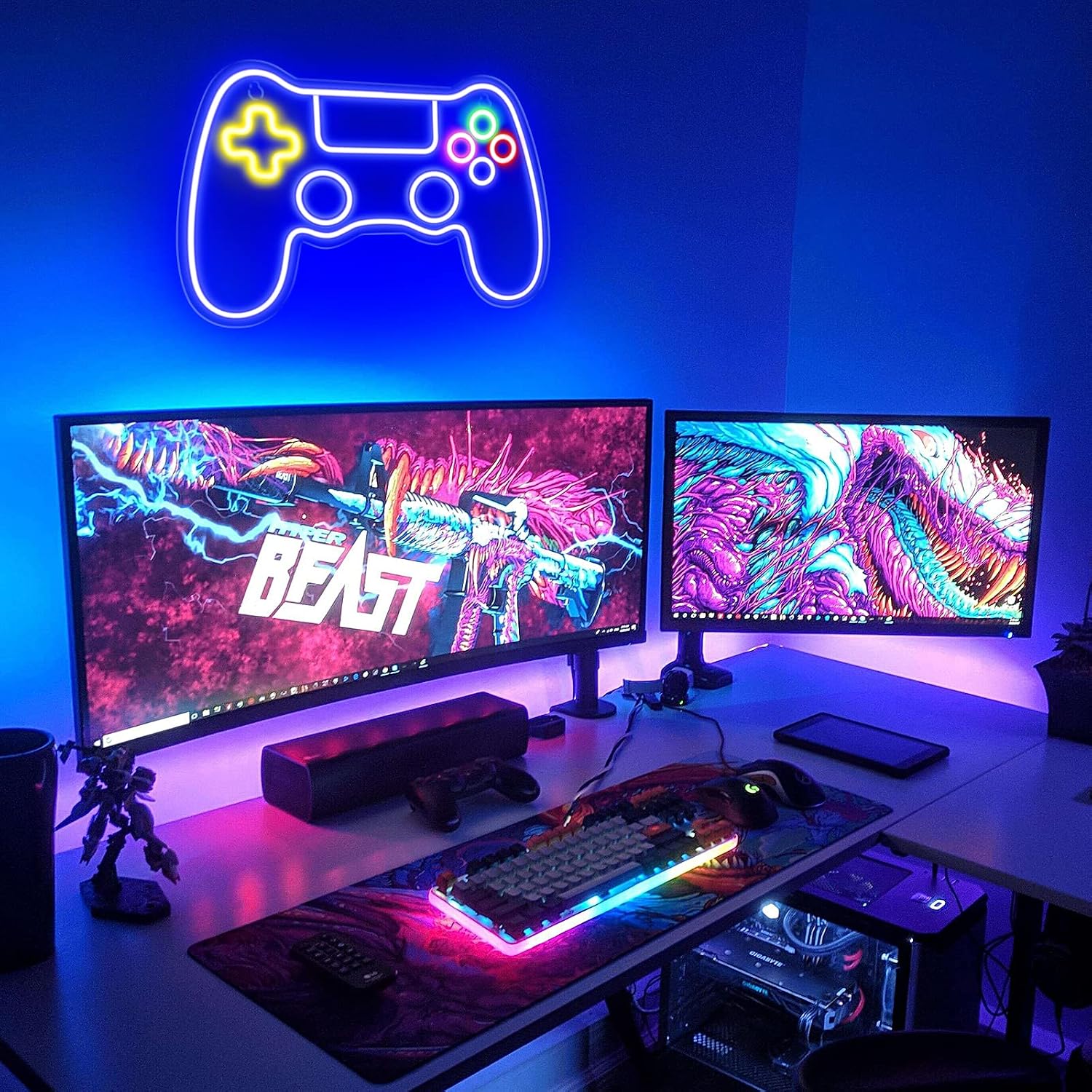
Gaming Room Neon Signs: Dimmer Specs, Motion Sensors, and the Aesthetic Choices That Actually Hold Up
If you’ve started pricing custom neon signs for a gaming room, you’ve already noticed that the market splits fast into two very different products wearing the same name. LED neon uses flexible PVC tubing wrapped around a channel-cut acrylic backing — it runs cool, ships flat, and costs roughly $8–$18 per letter depending on fabricator. Glass neon is the original: hand-bent borosilicate or soda-lime glass tubing filled with electrified gas. It glows warmer, buzzes faintly, and starts at $25–$60 per letter for bespoke work. Both can look stunning in a gaming room. The decision between them, and every spec choice downstream of it, depends on how the sign lives in the space: is it always-on ambient light, a triggered accent, a content-creation backdrop, or a daily-use room feature someone will actually dim, motion-sense, and integrate into a smart setup? This guide answers those questions with the tradeoffs named directly.
Why Gaming Rooms Are a Harder Spec Problem Than They Look
A bedroom neon sign is mostly decorative — it’s on when the person is in the room, off when they’re not, and nobody’s pushing its limits. A dedicated gaming setup is a different environment:
-
Long continuous burn cycles. Serious players log 4–8 hour sessions routinely. If your transformer (the power supply that converts household voltage to the low DC voltage the sign runs on) is undersized or runs at 100% rated load, heat accumulates and lifespan shortens measurably. Signs of the Times (signs.org), in its overview of LED driver longevity, notes that running a driver at 80% of rated load rather than full capacity can extend service life by 30–40%. Ask your fabricator for the driver’s rated wattage and confirm the sign’s draw lands below 80% of that ceiling.
-
Content creation pressure. If the sign appears on camera — streaming, YouTube, content shoots — color temperature accuracy becomes a production variable, not just an aesthetic one. A sign marketed as “cool white” can read anywhere from 5,500K to 7,500K (K = Kelvin, the scale that describes how warm or cool white light appears — lower numbers are more amber, higher numbers are more blue-white). On camera, 7,000K against a warm-lit room looks clinical and blows out highlights. Get the Kelvin spec in writing.
-
Smart-home and peripheral integration. Gamers running Philips Hue, Govee, or WLED ambient setups want their neon to participate in the scene, not fight it. That means dimmer compatibility is non-negotiable — and as of 2026, compatibility is still inconsistent enough across fabricators that it deserves its own section.
Architectural Digest’s coverage of neon as an interior design tool notes that gaming rooms have become one of the fastest-growing end-use categories for custom LED neon precisely because the aesthetic bridges personal expression and functional lighting. But the editorial consensus is also clear: buyers who treat neon as purely decorative and skip the electrical specs often report frustration within 18 months. The sign looks right. The infrastructure isn’t built for the use case.
Dimmer Compatibility: The Spec That Actually Matters
Here’s the uncomfortable truth about LED neon and dimmers: most residential dimmer switches — including popular brands like Lutron Caséta and Leviton Decora — are designed for incandescent or specifically-listed LED bulb loads. LED neon flex drivers are a different load type, and incompatibility shows up as flickering at low dim levels, buzzing, or an inability to dim below 30–40% before the sign simply shuts off.
The two compatibility paths worth understanding:
-
PWM-dimmable drivers with 0–10V input. PWM (pulse-width modulation) is the method most quality LED neon drivers use to dim — it pulses the current on and off rapidly, and the ratio of on-to-off time controls perceived brightness. A driver with a 0–10V dimming input can be wired to a compatible wall controller or integrated into a smart-home system via a 0–10V dimmer module. This is the cleanest solution for permanent installations. The downside: it requires a compatible controller, costs $15–$50 more in hardware, and most fabricators don’t default to it. You have to ask.
-
Inline remote or app-controlled dimmer. Many LED neon signs ship with a small handheld remote or a simple inline dial that controls a PWM circuit built into the power brick. This works fine as a standalone solution. The limitation is that it sits outside your smart-home ecosystem — you can’t trigger it from an Alexa routine or sync it to a Hue scene without adding a smart plug (which only controls on/off, not dim level).
The motion sensor integration question is a subset of this. Wiring a motion sensor to trigger a neon sign is technically straightforward — occupancy sensors rated for low-voltage LED loads exist from brands like Lutron and Enerlites, and fabricators who spec 0–10V drivers can wire these upstream. The real design question is whether you want a gaming room sign to shut off when you step away from the desk for 90 seconds. Most practitioners answer no: the sign is ambient, not task lighting, and the on/off cycling from motion sensing can stress drivers over time. A better use of motion integration in a gaming context: trigger a smart plug to power on the sign when room occupancy is detected, then rely on a long timeout (15–30 minutes) rather than aggressive cycling. Owners running this configuration in long-term reviews report significantly less perceived flicker and fewer driver resets.
By the numbers:
| Spec | Entry-level signs | Mid-tier fabricators | Bespoke/pro studios |
|---|---|---|---|
| Driver rated load margin | Often at 100% | Typically 80–85% | 70–80% (specified) |
| Dim range (PWM) | ~40%–100% | ~15%–100% | ~5%–100% |
| 0–10V input available | Rarely | On request | Standard option |
| Kelvin spec disclosed | Rarely | Sometimes | In writing |
Aesthetic Choices That Hold Up — and the Ones That Don’t
House Beautiful’s 2025 roundup of gaming room decor notes a pattern that practitioners already recognize: the signs that photograph brilliantly at install look dated or fatigued within 18–24 months if the color and content choices weren’t made with longevity in mind. A few specific traps:
Trendy color combinations over readability. Neon pink on black backing looks extraordinary in photos. In a room where you’re staring at a screen for hours, that same color combination creates significant contrast fatigue, especially if the sign is in your peripheral visual field. Across aggregated owner reports from interior design communities, the setups that get praised long-term tend toward single-color signs in cool white (5,500–6,000K), blue-white, or deep royal blue — colors that sit quietly in the ambient field rather than competing with screen content. If you want color expressiveness, localize it: a logo or icon element in warm amber or red, with the main text in a neutral.
Overly complex letterforms. Script fonts with tight loops look stunning as a render. In LED neon, tight bends require the flex tubing to compress, and compression points are where color inconsistency and eventual dead spots appear first. Sign Media Canada’s technology overview of LED neon flex notes that bend radii below 20mm create stress concentrations in the silicone jacket that can accelerate UV yellowing in lighter color tubes. For gaming room scripts — handles, clan names, personal logos — request a minimum letter height of 4–5 inches and ask your fabricator to flag any letterforms with sub-20mm bends before production.
Backing material and wall damage. Acrylic backing (clear or black) is standard. Clear acrylic allows the wall color to show through, which looks clean but means any wall imperfection reads in photos and camera frames. Black acrylic creates a floating, finished look and travels better if the sign moves. For renters or anyone who anticipates relocating the sign: ask whether the mounting hardware uses command-strip-style adhesive mounts or screw anchors, and get the specific weight rating. Most LED neon signs in the 24–36 inch range run 1–3 lbs — well within adhesive mount ratings — but signs over 48 inches often require anchor points that leave wall damage.
Glass neon for gaming rooms: the honest tradeoff. Apartment Therapy’s 2025 neon buyer’s guide puts the tension clearly: glass neon has a warmth and depth that LED flex cannot replicate, and for a gaming room that doubles as a creative studio or content space, the aesthetic authenticity is a real asset. The tradeoffs are equally real — glass neon runs hotter, is more fragile during shipping and any repositioning, and the audible hum (from the transformer) is present. In a quiet room with a headset on, most owners report not noticing it. In a room where you’re on open-mic with teammates, a low transformer hum can show up in your audio feed. If you’re running a streaming or recording setup, spec LED neon. If the room is primarily personal and the aesthetic matters more than technical convenience, glass neon is worth the premium.
Decision Rules for the Buying Moment
If you’re under active decision — comparing quotes, finalizing a design, choosing a fabricator — here’s the if/then framework:
If the sign will be on 4+ hours daily: Require the fabricator to specify driver wattage and confirm the sign draw is at or below 80% of rated capacity. Walk away from any quote that can’t answer this.
If you’re integrating with a smart-home system: Require a 0–10V dimmable driver or confirm the sign’s inline controller works with your specific ecosystem. A smart plug gives you on/off but not dim level — know which you need before you order.
If the sign appears on camera or in streams: Get the Kelvin rating in writing. Request a color swatch or sample chip if the fabricator offers it. “Cool white” without a K number is not a spec — it’s a guess.
If the space is rented or the sign may move: Spec LED neon over glass neon, choose acrylic backing over open-frame, and confirm mounting hardware is rated for reversible installation.
If the sign is a personal statement rather than a functional element: Glass neon is the move if budget allows. The depth and warmth are not replicable in flex, and in a space you’re investing in aesthetically, that difference reads every time you sit down.
If you’re between two fabricators on price: The differentiator almost always lives in the transformer/driver spec and the warranty terms. A 12-month warranty on drivers versus a 24-month warranty reflects exactly how confident each manufacturer is in their component sourcing. That confidence gap, over a 4-year ownership window, is worth more than a $50 difference in invoice price.
The gaming room neon market in 2026 is mature enough that pricing has compressed and design options have expanded dramatically. The buyers who end up with signs they’re still happy about in year three are the ones who treated the electrical spec with the same care as the aesthetic spec — and asked the questions before the order was placed, not after.